Gear Pairs
The objective of this tutorial is to learn how to add gears that have:
•fixed centers
•orbiting centers
•single and multiple centers.
•learn the rules for the Add Gear-Pair command.
•Add a Rack-Pinion Gears
 Gear-Pairs
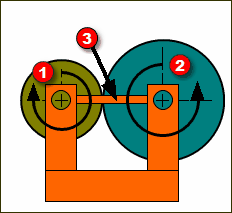
Option 1: Fixed Gear centers These include: |
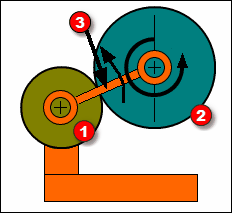
Option 2: Orbiting Gear centers These include: •Differential Gear-Trains * * Must be updated for MD16 Other: Epitrochoid, Hypotrochoid, Peritrochoid, Wankel, Lobe Pumps |
|
|
Rack-Pinion |
|